AI Snippet Preview: Test How AI Systems Understand Your Content
AI search engines like ChatGPT, Perplexity, Claude, and Google SGE are changing how people discover content.


"Best investment for our content-heavy site. The performance optimizations alone made it worth it, but the schema features are game-changing."
- David K, Technical Lead, Media Company
The AI-Ready SEO WordPress Theme
Premium SEO + AI-optimized WordPress theme with advanced schema, entity templates, and Core Web Vitals optimization built right in.
Latest plugin version 1.1.0 was updated 10 hours ago, fully compatible with WordPress 7.0
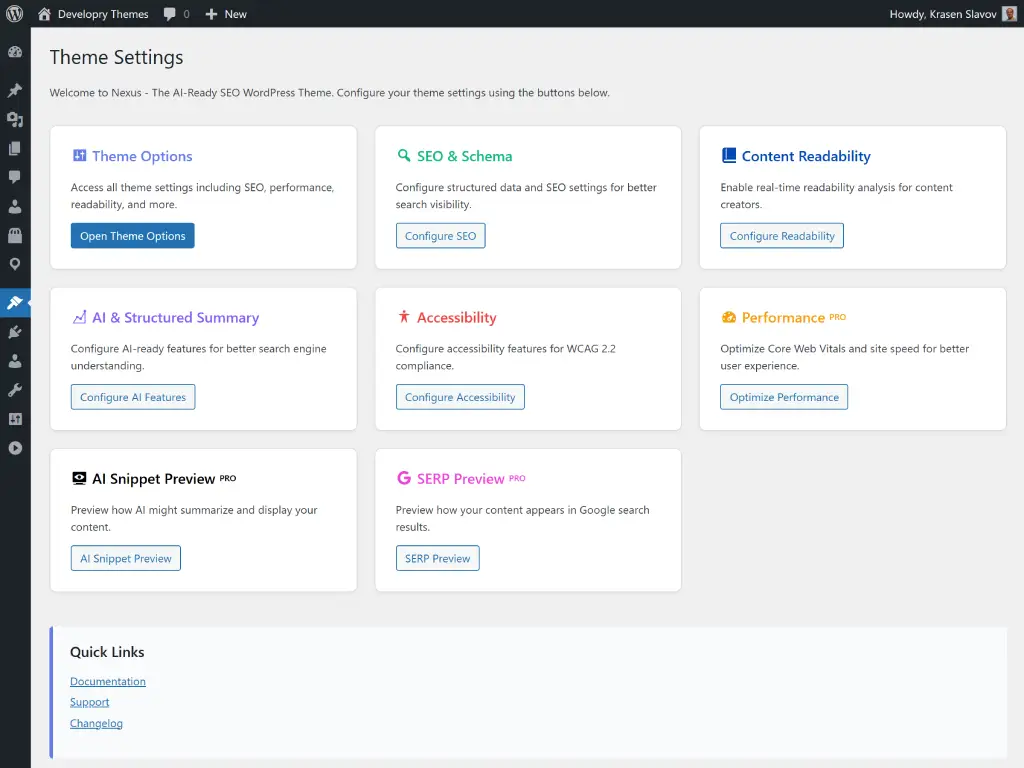
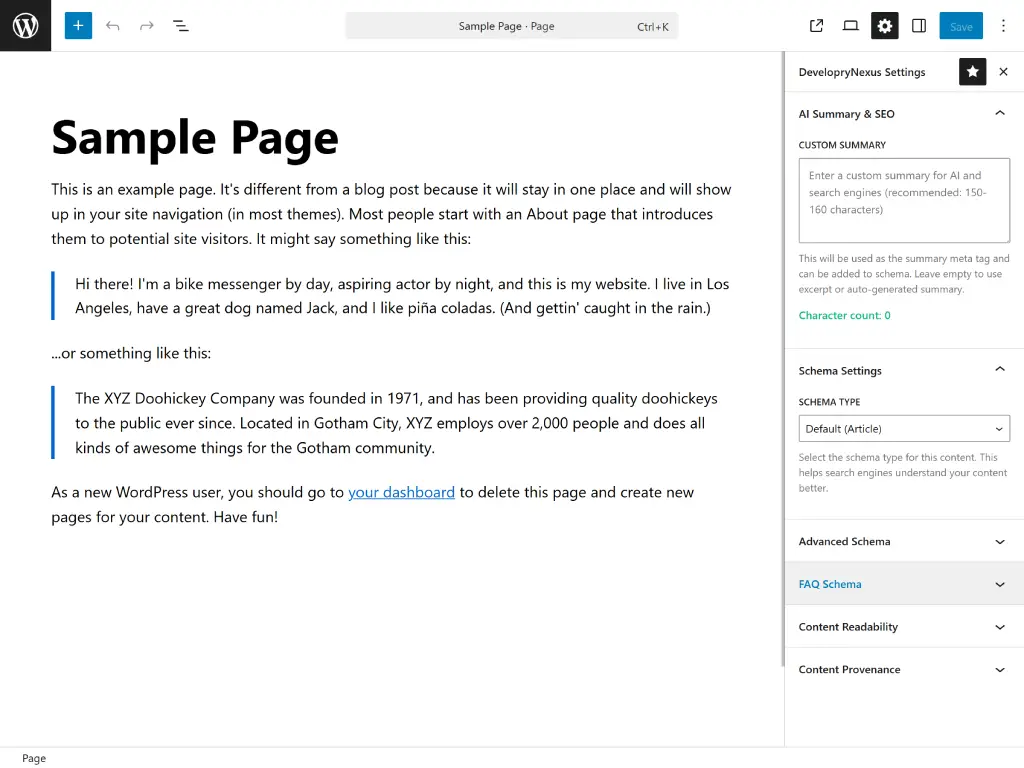
Real-time readability scoring, schema markup, and SEO metrics in your editor. Monitor content quality, configure 7+ schema types, and optimize as you write.
Pre-built Person, Product, and Place templates with schema.org markup. Create structured content for rich results, Knowledge Panels, and enhanced search visibility. How it Works
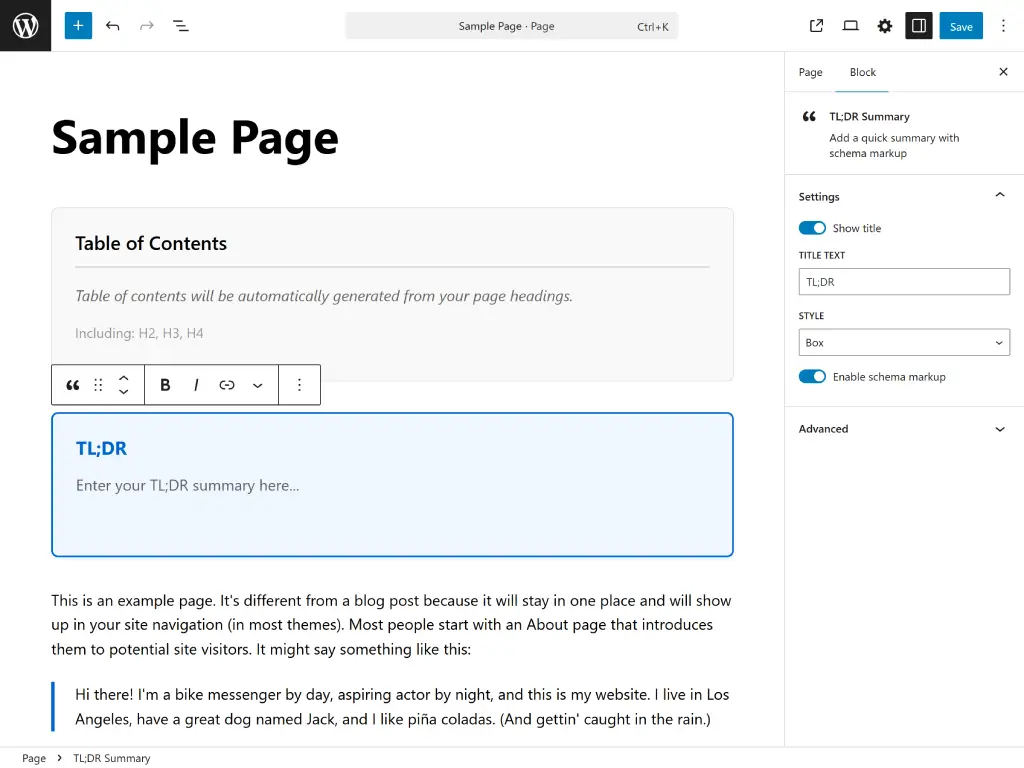
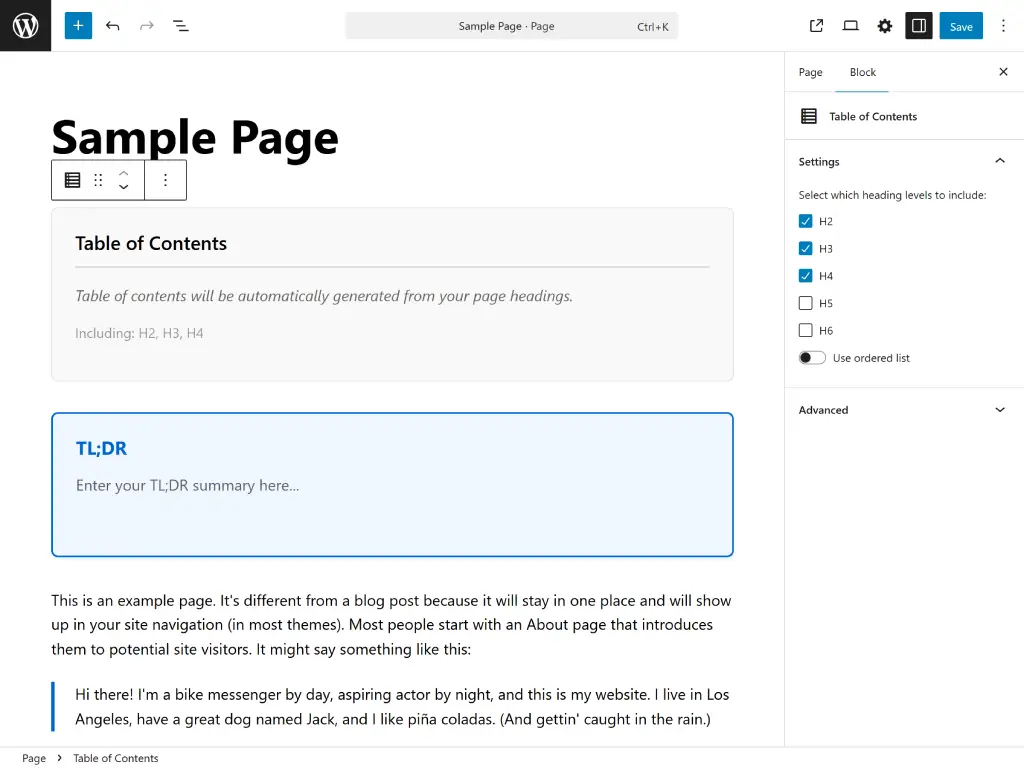
Automatic table of contents from heading structure with smooth scrolling. Improves navigation, content structure, and search result jump links for better UX. How it Works
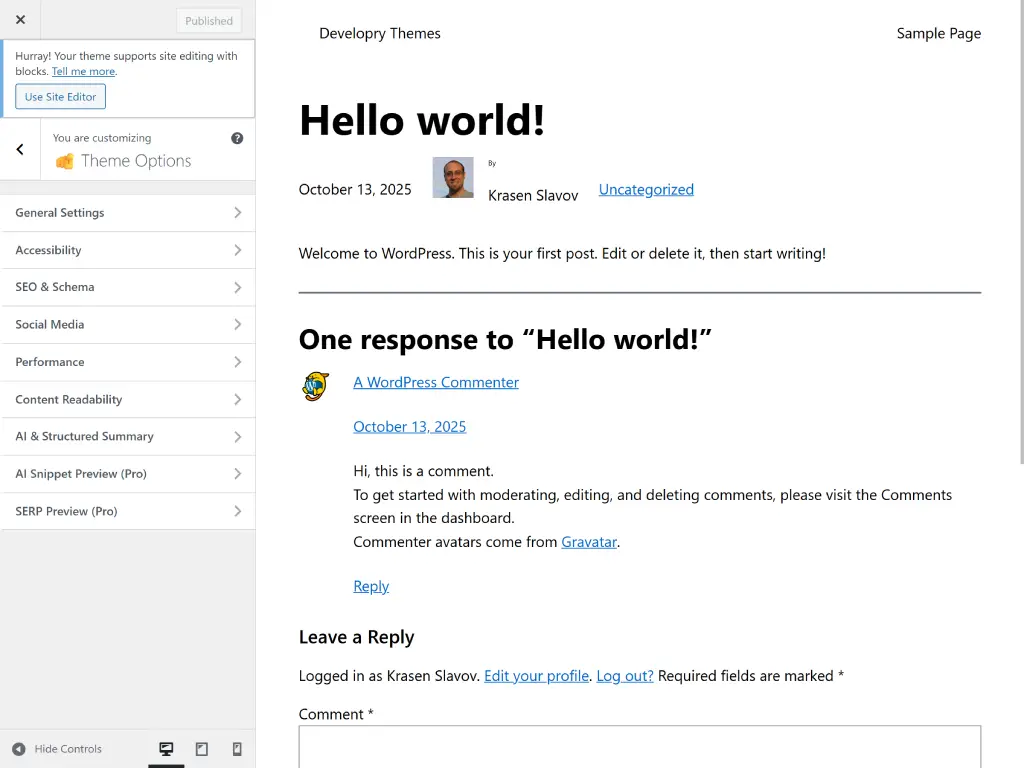
Configure SEO, schema, performance, and social settings in WordPress Customizer. Real-time preview with AI snippet and SERP preview features built-in. How it Works
Deep Nexus theme integration for performance and SEO. Typography optimization, layout configs, faster page loads, and improved Core Web Vitals scores. How To
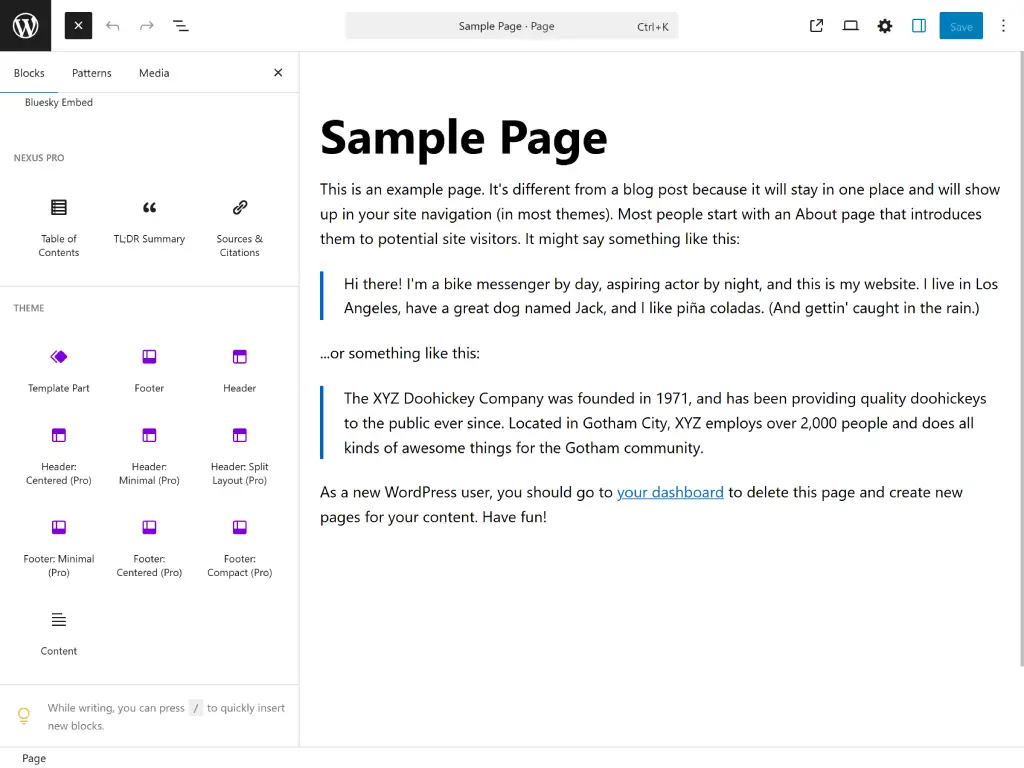
Professional blocks and template parts with semantic HTML and schema markup. Hero sections, CTAs, testimonials, and entity templates for better search visibility.
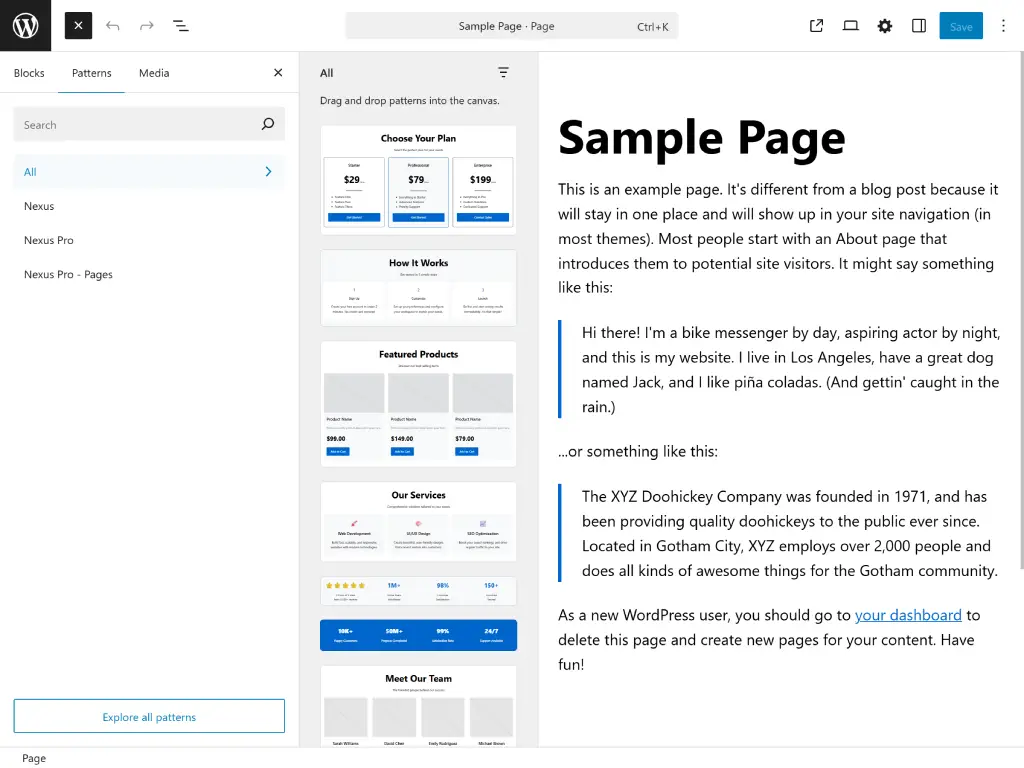
Dozens of pre-designed block patterns with semantic markup and schema integration. FAQ sections, hero layouts, testimonials, and conversion-optimized designs.
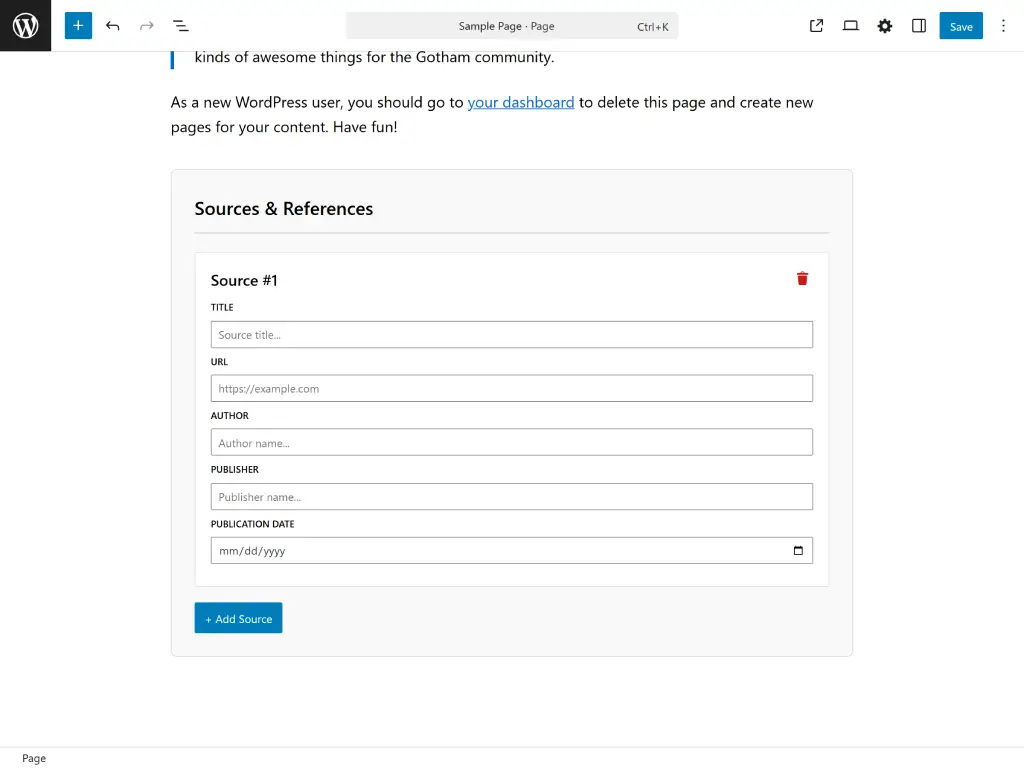
Add credible citations with automatic schema.org markup. Perfect for research articles and
authoritative content. Supports APA, MLA, and Chicago citation styles.
Add credible citations with automatic schema.org markup. Perfect for research articles and authoritative content. Supports APA, MLA, and Chicago citation styles.
Manage all features from one dashboard. Configure schema types, performance optimizations, AI features, social integration, and SEO settings without coding.
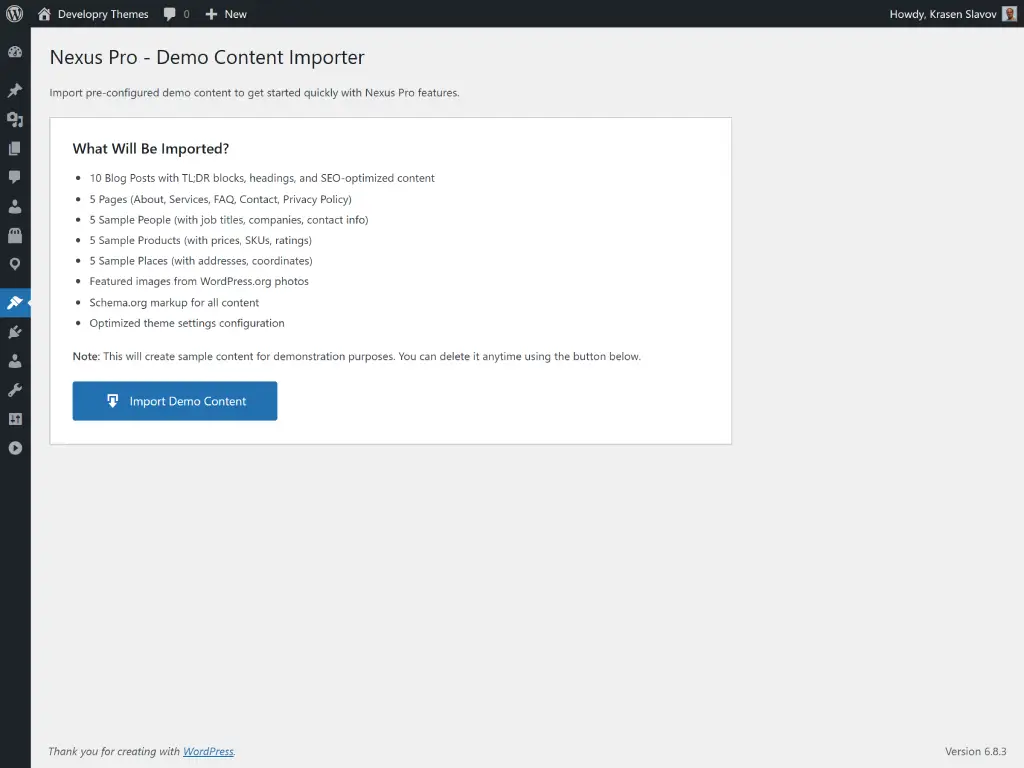
Launch your SEO-optimized site in minutes. Import pre-configured pages, entity templates, schema markup, and block patterns with professional best practices.
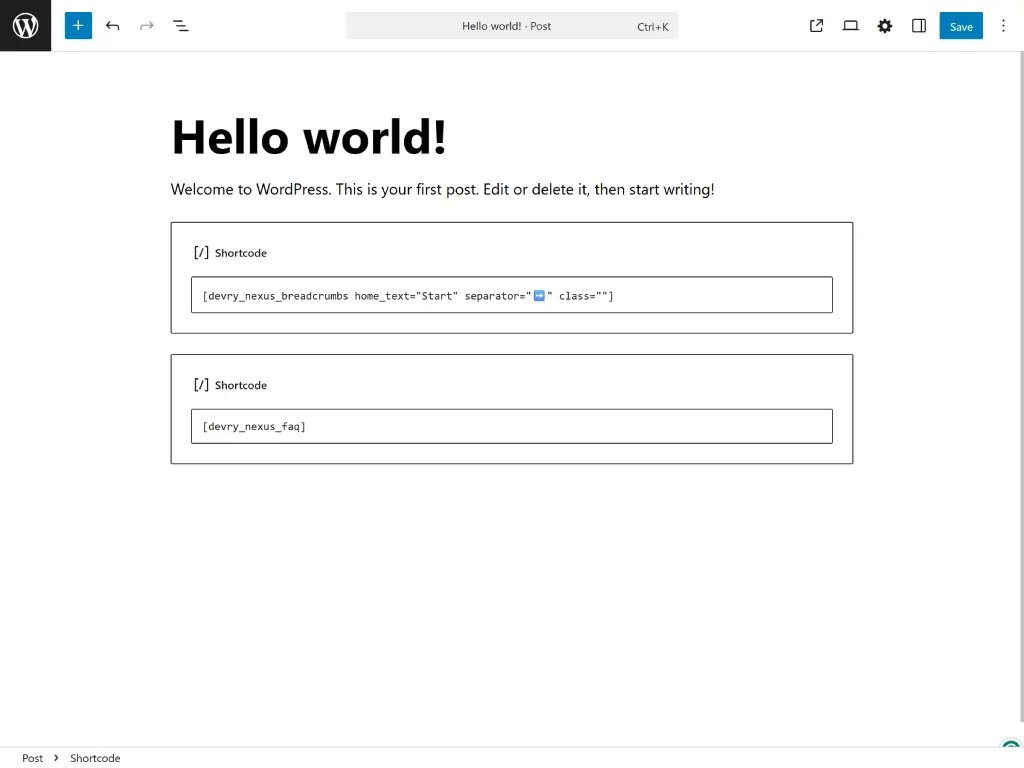
Insert breadcrumbs, table of contents, citations, and entity data anywhere. Add schema markup to legacy content, widgets, and custom templates with ease.
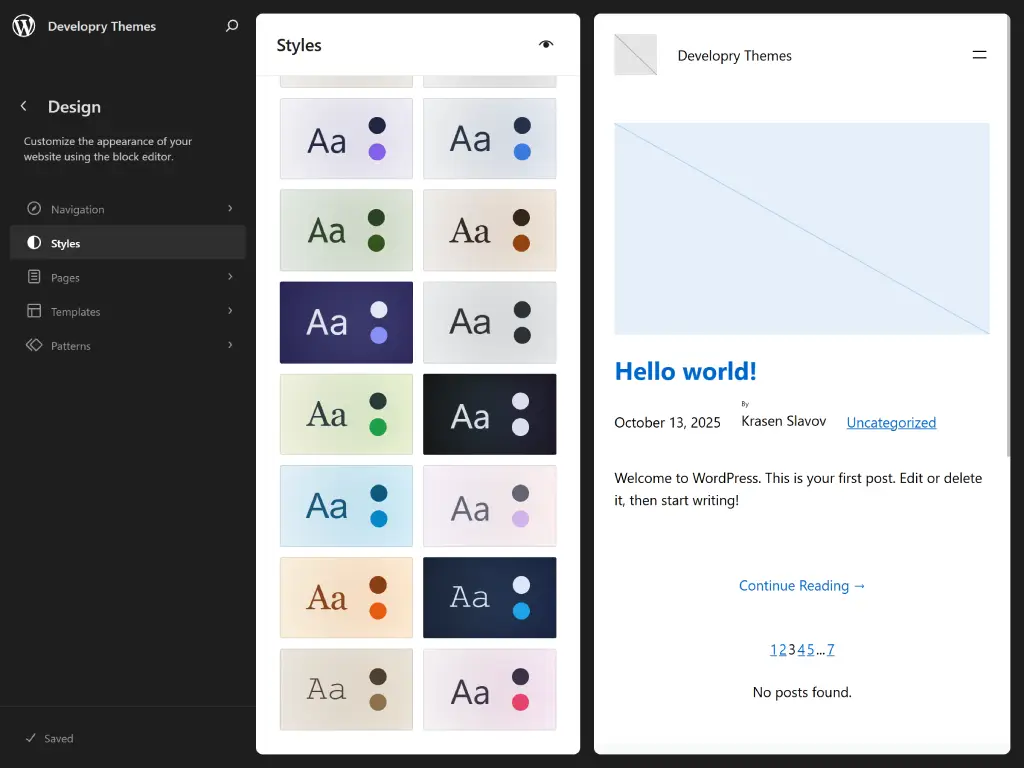
Perfect visual consistency between editor and frontend. Improved readability and user experience with matching typography, spacing, and mobile-responsive design.
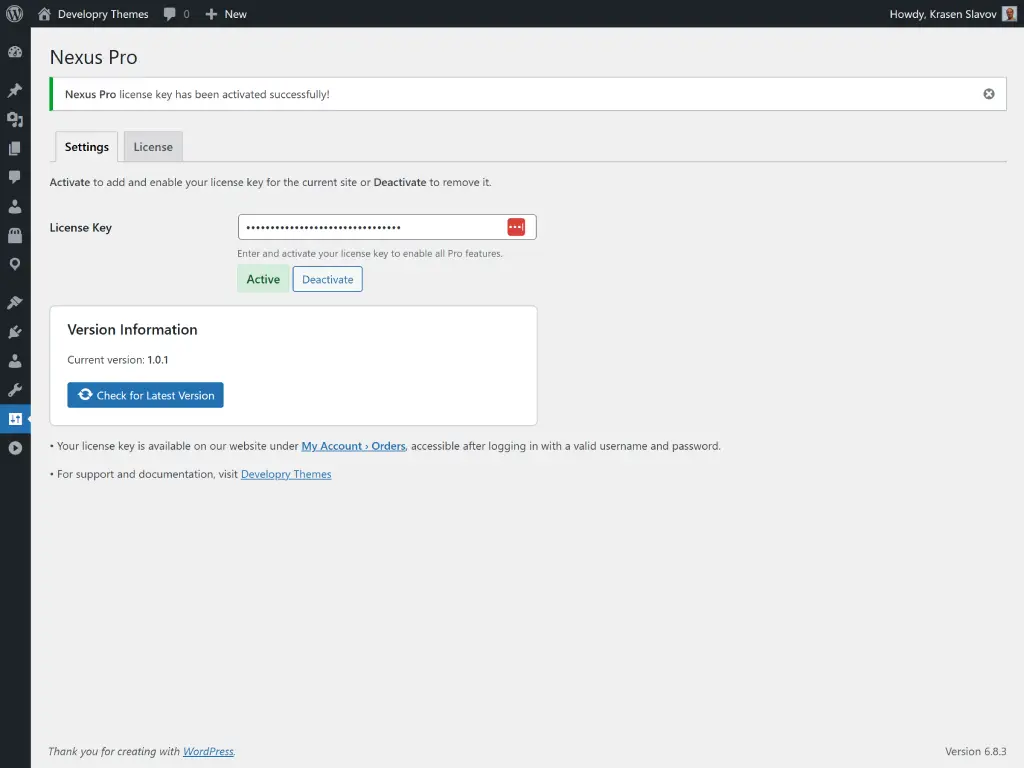
Simple license activation with automatic updates and security patches. Multi-site support powered by Easy Digital Downloads for enterprise-grade reliability.
Hear from our satisfied customers about their experience with our products and services.
Developry Nexus Pro transformed our SEO strategy. The built-in schema and entity templates saved us countless hours of manual optimization work.
The AI-ready features and Core Web Vitals optimization out of the box made this the easiest theme migration we've ever done. Rankings improved within weeks.
Finally, a WordPress theme that understands modern SEO. The entity-first architecture and structured data support is exactly what we needed.
The attention to accessibility and semantic markup shows real craftsmanship. Our clients with disabilities can actually use our site properly now.
Best investment for our content-heavy site. The performance optimizations alone made it worth it, but the schema features are game-changing.
As an agency, we need themes that are both powerful and easy to customize for clients. Nexus Pro delivers on both fronts beautifully.
A quick comparison table highlighting the difference between the Free and Pro versions.
| Feature | Free | Pro |
|---|---|---|
| Semantic HTML5 + ARIA Structure | ✓ | ✓ |
| Core Web Vitals Optimization | ✓ | ✓ |
| TL;DR Block Pattern | ✓ | ✓ |
| Basic Schema (Organization, Article) | ✓ | ✓ |
| Dark/Light Mode Toggle | ✓ | ✓ |
| FAQ Block with FAQPage Schema | ✗ | ✓ |
| Sources & Citations Block | ✗ | ✓ |
| Entity Templates (Person, Product, Place) | ✗ | ✓ |
| SEO Customizer Panel | ✗ | ✓ |
| AI Snippet Preview | ✗ | ✓ |
| Content Readability Indicators | ✗ | ✓ |
| One-Click Demo Importer | ✗ | ✓ |
| Priority Email Support | Community Support | ✓ |
| Plugin Updates & New Features | Delayed | First access |
A quick comparison table highlighting the difference between the Free and Pro versions of our plugin.
Select the perfect plan for your needs. All plans include our core features with flexible pricing options.
Download it from WP.org and try it out for free.
Download FreePerfect for personal sites and freelancers.
Purchase NowBest value for agencies and developers.
Add to CartTry it out for free. You can download and test-drive the free version of the plugin before making your purchase.
Get It NowWe've compiled a list of questions and answers to help your experience and decision with our website. Feel free to send us a message if you have any additional questions about our packages or custom WordPress development.
Read and the latest content from our blog.

AI search engines like ChatGPT, Perplexity, Claude, and Google SGE are changing how people discover content.

Local Business schema is critical for any business with a physical location.

AI assistants like ChatGPT, Claude, Perplexity, and Google’s SGE are changing how people find information.